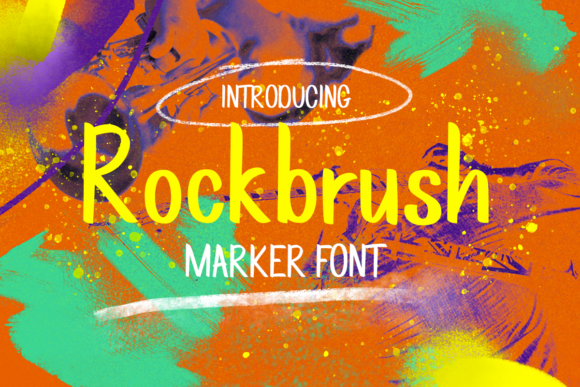
Rockbrush: A Practical Evaluation for Designers and Content Creators
Rockbrush is a library of high-resolution, hand-painted digital brushes designed specifically for Adobe Photoshop and Procreate. Unlike many brush packs that prioritize novelty over function, Rockbrush focuses on texture fidelity, natural stroke behavior, and consistent performance across real creative workflows. It’s not a suite of tools or a subscription service—it’s a curated set of assets built to extend the expressive range of digital painting, illustration, typography, and visual design without introducing complexity.
What Sets Rockbrush Apart from Generic Brush Libraries
Most brush collections fall into one of two categories: overly stylized (think glitter explosions or cartoon splatters) or technically underdeveloped (low-res textures, inconsistent pressure response, or poor edge handling). Rockbrush avoids both pitfalls. Each brush is scanned from original physical media—dry gouache, ink washes, charcoal sticks, watercolor granulation—and then digitally refined to preserve grain, lift, bleed, and drying patterns. The result is a tactile authenticity that holds up at print resolution and responds predictably to stylus tilt, opacity fade, and flow modulation.
This fidelity matters most when working with layered compositions. For example, a designer applying Rockbrush’s “Granular Wash” to a background layer can adjust blend modes and opacity without the texture collapsing into pixelated mush—a common issue with compressed or procedurally generated alternatives. Similarly, illustrators using “Rough Charcoal Edge” retain crisp line integrity even after scaling or masking, thanks to vector-aligned brush tip definitions and optimized spacing algorithms.
Usability in Real Workflows
Rockbrush ships as native .ABR (Photoshop) and .BRUSHSET (Procreate) files, with no installers or activation steps. Installation is drag-and-drop; brushes appear instantly in the respective brush palettes. There’s no learning curve beyond basic familiarity with brush settings—no custom panels, no proprietary interface, no cloud dependency. This simplicity supports focused work rather than tool management.
In practice, users report faster iteration cycles when refining mood boards or mockups. A marketing professional sketching social ad concepts might use Rockbrush’s “Matte Acrylic Stipple” to block color fields with subtle surface variation—giving flat designs immediate depth before committing to final assets. An educator preparing lecture slides could apply “Soft Graphite Hatching” to annotate diagrams, lending clarity and visual hierarchy without requiring illustration expertise.
Consistency across devices is another strength. Brushes behave similarly on iPad Pro with Apple Pencil and on Wacom Cintiq setups—unlike some libraries where pressure curves shift unpredictably between platforms. That reliability reduces friction when switching between home and studio environments, a practical benefit for freelancers and remote creatives.
Quality and Long-Term Value
Rockbrush includes 48 core brushes, grouped into five thematic sets: Dry Media, Wet Media, Texture Overlays, Linework, and Experimental. Each set contains 8–12 brushes, all named descriptively (“Damp Watercolor Bloom,” “Crushed Pastel Grain”) and previewed in the included PDF guide with sample strokes at varying opacities and sizes. No brush feels redundant; each serves a distinct functional role. There are no “filler” variants—just purpose-built tools.
The textures hold up under scrutiny. At 300 DPI and 400% zoom, grain remains organic—not tiled, not blurred, not artificially sharpened. This matters for commercial output: book illustrators using Rockbrush for cover art have reported fewer client requests for texture revisions, and small business owners applying brushes to product packaging mockups have seen improved stakeholder alignment during early-stage reviews.
Long-term value comes from adaptability. These aren’t trend-dependent assets. A brush like “Fine Ink Crosshatch” works equally well for technical documentation, zine illustration, or architectural sketching. Users who’ve owned Rockbrush for over two years note they still reach for the same 10–15 brushes regularly—not because the others are unused, but because those core tools integrate seamlessly into their established habits. That kind of sustained utility is rare in digital asset libraries.
Who Benefits Most—and When
Rockbrush is especially valuable for professionals whose work bridges conceptual and executional phases: content strategists adding visual polish to wireframes, educators building custom teaching materials, indie publishers designing book interiors, or UX designers enriching low-fidelity prototypes with expressive detail. It’s less suited for users seeking AI-assisted generation, animation support, or cross-platform brush syncing—those needs fall outside its scope.
Freelancers juggling multiple clients often cite Rockbrush’s speed-to-output ratio as a key advantage. One branding consultant shared how she uses “Chalkboard Dust” to add warmth to presentation decks—applying it in under 90 seconds per slide, versus sourcing and editing stock textures. Another copywriter-turned-illustrator noted that Rockbrush helped her transition into visual storytelling without investing months in traditional media training.
Small business owners with limited design resources also find utility here. A local bakery owner creating seasonal Instagram posts uses “Soft Watercolor Bleed” to frame photos of pastries—adding handmade charm without hiring a designer each time. The brush doesn’t replace skill, but it lowers the barrier to achieving a cohesive, intentional aesthetic.
Practical Considerations and Limitations
Rockbrush does not include video tutorials, preset layer styles, or integration with Figma, Affinity, or Clip Studio Paint. It’s strictly for Photoshop and Procreate users. If your workflow relies heavily on non-Adobe or non-Apple tools, Rockbrush won’t slot in naturally.
There’s also no “one-click” stylistic transformation. These brushes require deliberate application—they won’t auto-generate a vintage poster or a moody editorial spread. Their power lies in augmentation, not automation. Users expecting instant stylistic results may feel underwhelmed initially; those comfortable with manual control tend to deepen their reliance on the set over time.
Another nuance: Rockbrush textures respond best to calibrated pressure sensitivity. On entry-level tablets with limited pressure levels (e.g., 512-step sensors), some fine-grained brushes—like “Feathered Gouache Edge”—may feel less responsive than on higher-end hardware. That’s not a flaw in the brush design, but a reminder that output quality depends partly on input fidelity.
Making It Work for Your Projects
Start by identifying one recurring textural need in your current work. Is it adding grit to typography? Simulating paper texture behind digital lettering? Softening hard-edged UI mockups? Pick the corresponding Rockbrush set and test three brushes at varying opacities and blending modes. Avoid applying them globally—instead, use layer masks and clipping masks to restrict effects to specific elements. This preserves flexibility and avoids overcommitting early.
For teams, consider standardizing one or two Rockbrush textures across brand assets—say, “Matte Acrylic Stipple” for background fills or “Fine Ink Crosshatch” for data visualization lines. Consistent texture language reinforces visual cohesion without requiring additional style guide documentation.
If you’re evaluating Rockbrush alongside other brush libraries, compare how each handles edge taper, dry-brush simulation, and interaction with layer opacity. Many packs excel in one area but falter in another. Rockbrush’s consistency across these dimensions—combined with its straightforward licensing (lifetime access, no subscriptions)—makes it a pragmatic long-term addition rather than a short-term experiment.